Have you ever wondered why some MLS listings attract more attention, more inquiries, and even quicker offers than others?
The secret often lies in one feature: virtual tours. In today’s fast-paced, digital-first real estate market, buyers expect more than static photos. They want to experience your property as if they were walking through it — from the comfort of their own home.
Adding a virtual tour to your MLS listing can transform your property’s visibility, engagement, and ultimately, your chances of selling quickly at the right price. Whether you’re a broker, a seller, or a developer managing multiple units, understanding how to integrate virtual tours is no longer optional — it’s essential.
This comprehensive guide will show you exactly how to add virtual tours to your MLS listing, step by step, and give tips on maximizing their effectiveness. By the end, you’ll have everything you need to make your property stand out in a competitive market.
Why Virtual Tours Are Essential for Your MLS Listing
Before diving into the “how,” it’s important to understand why virtual tours matter. Real estate has shifted dramatically over the last decade, and virtual tours are at the forefront of this evolution. Here’s why every property seller and broker should consider them:
- Higher Engagement: Listings with virtual tours generate significantly more views than photo-only listings. Potential buyers spend more time exploring properties that allow them to immerse themselves digitally.
- Better Leads: Virtual tours help pre-qualify buyers. Those who invest the time to view the tour are generally more serious and likely to make a decision faster.
- Faster Sales: Properties with virtual tours tend to sell more quickly because buyers can explore the space in detail and make confident offers without waiting for multiple in-person visits.
- Reduced Showings: By offering an immersive digital experience, you can filter out buyers who aren’t genuinely interested, saving time for both you and your agent.
- International and Remote Buyers: For properties targeting investors or buyers who may be overseas or in another city, virtual tours are invaluable. They allow buyers to “walk through” your property without traveling.
- Professional Branding: For developers and brokers, a well-executed virtual tour conveys professionalism and boosts your credibility in the market.
Virtual tours are no longer just a marketing bonus — they are a necessity for maximizing the potential of any MLS listing.
Step 1: Choose the Right Virtual Tour Technology 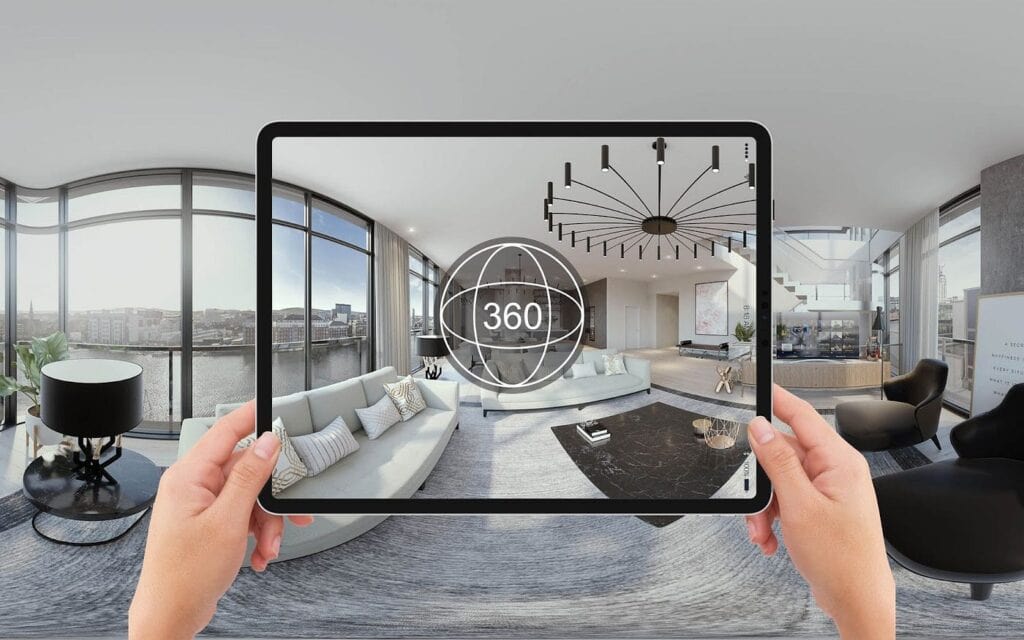
The first step is deciding what type of virtual tour you want to offer. Your choice will depend on your property, budget, and target audience. Here are the most common options:
- 360° Photography: Using a 360° camera, you can capture panoramic images of each room. This allows potential buyers to look around freely, as if standing in the space themselves.
- 3D Walkthroughs: More advanced than 360° photos, 3D walkthroughs allow buyers to move freely through the home or property, exploring from any angle. Platforms like Matterport make it easy to generate these tours with professional results.
- Video Tours: A guided video walkthrough of the property, often narrated by the agent or broker, highlighting features and creating a storytelling experience for viewers.
- Hybrid Approaches: Some listings combine 360° photography, 3D walkthroughs, and video tours to offer multiple ways to explore the property.
Key Consideration: Ensure the technology you select provides an MLS-compatible link or embed code, as most MLS systems do not host the virtual tour files directly. Instead, the MLS will display a URL that links to your interactive tour.
Step 2: Prepare Your Property
A virtual tour is only as effective as the property it showcases. Even the most advanced 3D walkthrough cannot hide clutter, poor lighting, or outdated interiors. Preparation is essential.
Here’s a detailed checklist to get your property ready:
- Declutter and Stage: Remove personal items, excess furniture, and clutter. Staging your property can dramatically improve how rooms appear on camera and make the space feel more welcoming.
- Clean Thoroughly: Ensure every corner of your property is spotless. Clean windows, polished floors, and dust-free surfaces make a huge difference in virtual tours.
- Lighting Matters: Good lighting is critical. Natural daylight is preferable for rooms, but you can also supplement with artificial lighting to avoid dark areas. Turn on all lights during shooting to create a warm, inviting atmosphere.
- Repair and Touch Up: Fix minor issues like scratches on walls, leaky faucets, and chipped paint. These small details show buyers that the property has been well-maintained.
- Highlight Key Features: Focus attention on selling points like fireplaces, kitchen islands, high ceilings, or panoramic views. Make sure these are visible in the tour.
Preparation is often the stage that sellers underestimate most. Taking the time to stage and polish your property can significantly impact the quality of the virtual tour and the resulting buyer interest.
Step 3: Capture the Virtual Tour
With your property ready, it’s time to capture the content. Depending on your chosen technology, here’s what you need to know:
- 360° Cameras: Set up the camera on a tripod in each room. Many cameras automatically stitch multiple photos together to create a seamless panoramic tour.
- 3D Walkthrough Apps: Walk through the property with your smartphone or compatible device, following the app’s instructions to generate a full 3D model. These apps often include automatic measurement and spatial mapping features.
- Professional Videographers: For high-end or luxury listings, hiring a professional can ensure top-tier results. Professionals can optimize camera angles, lighting, and narration to create a compelling virtual experience.
Pro Tip: Capture every main room, hallway, entryway, and standout features. Make sure outdoor areas like patios, balconies, and gardens are included. Missing sections can leave buyers feeling uncertain.
Step 4: Edit and Optimize Your Tour
Raw footage isn’t enough. Editing ensures your virtual tour is professional, user-friendly, and engaging:
- Add Navigation Hotspots: Enable users to click or tap to move between rooms. Avoid linear tours that feel restrictive.
- Label Key Features: Highlight appliances, closets, storage spaces, or unique design elements. Labels help buyers notice details that may otherwise be overlooked.
- Integrate Floor Plans: If possible, include a floor plan alongside the tour. Buyers can cross-reference rooms and understand the property’s layout more clearly.
- Optimize Load Speed: Compress files without compromising quality. Slow-loading tours can frustrate viewers and reduce engagement.
- Narration or Background Music: Optional, but adding context or a professional voiceover can enhance the experience and emphasize the property’s best features.
Remember, your virtual tour is a reflection of your property and your professionalism. Taking the time to edit properly can significantly increase engagement and lead quality.
Step 5: Add the Virtual Tour to Your MLS Listing
Most MLS systems allow you to include a link or URL to the virtual tour rather than uploading the tour directly. Here’s how to do it:
- Log in to your MLS listing portal.
- Navigate to the section for multimedia or virtual tours.
- Paste your virtual tour URL or embed code.
- Ensure the link opens correctly and displays the full tour.
- Save your listing and verify the tour appears prominently.
Pro Tip: Some MLS systems allow multiple media links. If you have both a 3D walkthrough and a video tour, include both to cater to different buyer preferences.
Step 6: Promote Your Virtual Tour
Simply adding a virtual tour isn’t enough — buyers need to see it. Here are strategies to maximize exposure:
- Email Marketing: Send your virtual tour to interested buyers, mailing lists, and investors. Highlight the convenience of the virtual walkthrough.
- Social Media Promotion: Post your tour on platforms like Facebook, Instagram, LinkedIn, and TikTok. Use engaging captions and hashtags to attract more viewers.
- Property Websites: Include the virtual tour on your agency or developer website for easy access.
- QR Codes for Open Houses: Generate a QR code linking to the tour. Visitors can scan it with their phones and revisit the property digitally at their convenience.
Virtual tours become most effective when combined with proactive marketing efforts, ensuring the property reaches as many qualified buyers as possible.
Step 7: Monitor Engagement and Feedback
After your virtual tour goes live, monitor how it performs:
- Track the number of views and average time spent on the tour.
- Gather feedback from buyers and agents. Find out which rooms or features capture attention and which may need clarification.
- Adjust your marketing strategy based on insights. For example, emphasize features that attract the most engagement in follow-up promotions.
Analytics help you understand the return on investment for your virtual tour and allow you to continuously improve your strategy for current and future listings.
FAQs
1. Do all MLS systems support virtual tours?
Most modern MLS platforms allow links or embed codes for virtual tours, though the exact process varies. Check with your agent or MLS administrator for platform-specific guidelines.
2. Can I create a virtual tour with just my smartphone?
Yes. Many apps and 360° camera attachments allow you to capture professional-quality virtual tours with a smartphone. Higher-end cameras may provide more immersive results.
3. Will adding a virtual tour increase my property’s chances of selling?
Yes. Listings with virtual tours generally attract more views, higher-quality leads, and faster sales compared to photo-only listings.
4. How long should a virtual tour be?
Aim for 5–10 minutes to cover all main areas. Too short may leave buyers wanting more, while too long can lose engagement.
5. Can developers use virtual tours for off-plan properties?
Absolutely. 3D modeling and video renderings allow potential buyers to explore units before construction, boosting pre-sales and investor confidence.